Create in 60 seconds
Connect your uptime monitors, pick your headline tone, and the rest just happens. No design skills needed - beautiful by default. Status pages that work out of the box.
Status pages that behave, even when youʼre busy fixing things
PingPuffin's status pages are built for the teams who never got around to launching the "real" comms platform. Connect your uptime monitors, pick your headline tone, and the rest just happens. Incidents open automatically, uptime history graphs draw themselves, and you only have to add the occasional human-friendly sentence. These status pages automatically reflect your uptime monitoring results and display uptime status clearly. Status pages are an essential part of uptime monitoring.
We keep the tooling deliberately simple: the essential 80% of what customers expect from status pages, stripped of the 20% of configuration that usually slows you down. Custom domains, component breakdowns, and scheduled maintenance updates are all there—because explaining downtime shouldn't require a PhD in incident comms. Your status page shows uptime status and downtime alerts automatically, keeping customers informed about your uptime monitoring. Status pages work seamlessly with your uptime monitoring setup.
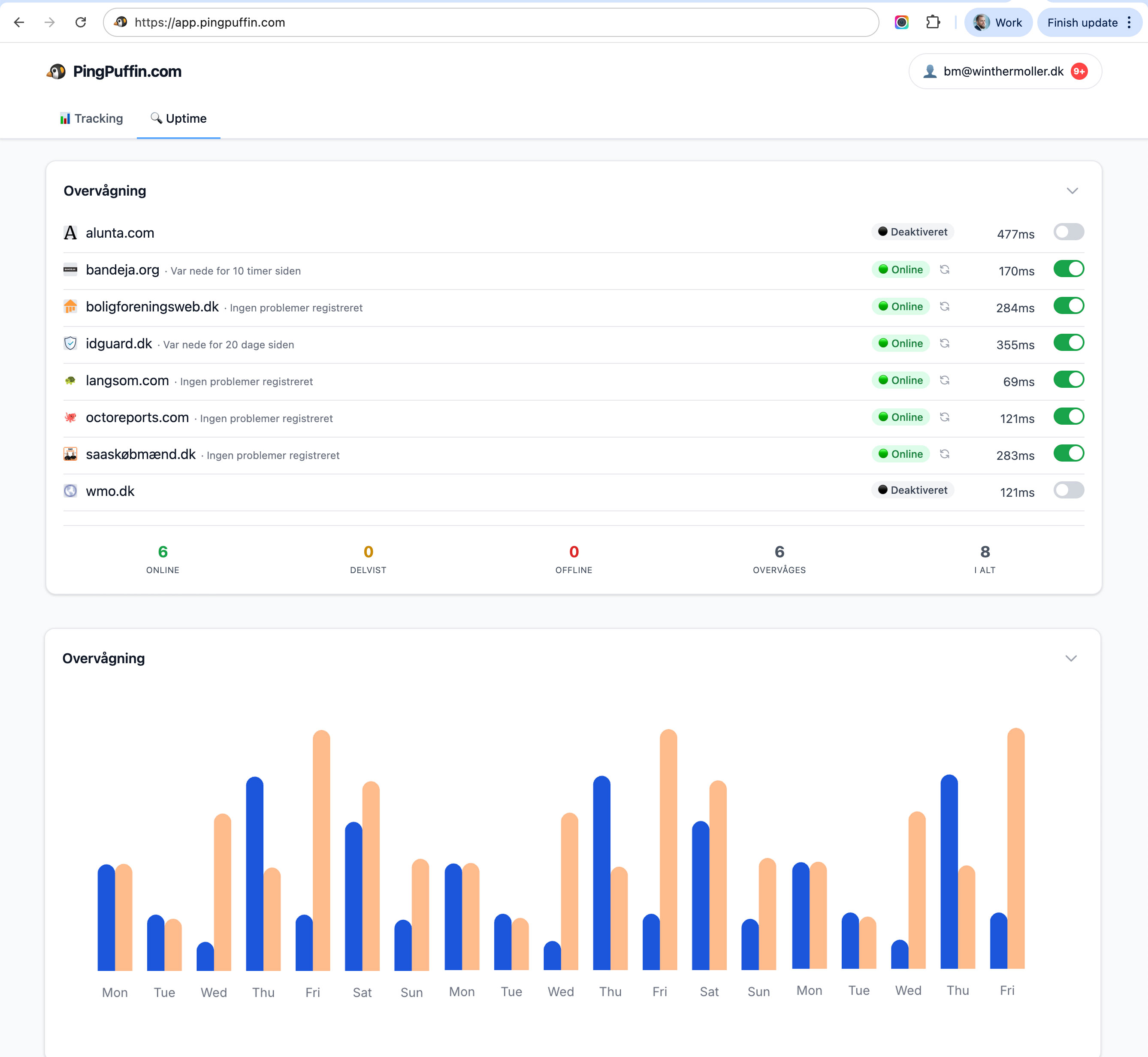
Keep communication calm during chaos
Once an incident fires, PingPuffin can post automated updates, send notifications, and keep everyone aligned in one place. No more tweeting apologies or pasting status into support tickets.
Customers can subscribe to email, SMS, or Slack with one click. Internal teams get a private view, external stakeholders get the public site, and nobody has to wonder if the latest update is in a chat thread somewhere. It’s the bare minimum done properly—and that’s often all you need.
Launch-ready templates
Choose from clean presets or tweak the layout to match your brand. Status pages take minutes to configure and keep working while you sleep.
Automatic incident syncing, uptime history, and embeddable widgets are bundled into every plan, including the free Free plan for one website. You won't find advanced incident SLA dashboards here—and that's on purpose. PingPuffin is for the pragmatic crew who just wants a trustworthy page live before their next release. Need to monitor more sites? Pro is €19/month for up to 100.
Best Practices for Status Pages
Effective status pages follow proven best practices. Keep your status page simple and scannable—customers need information quickly during incidents, not complex dashboards. Use clear color coding: green for operational, yellow for degraded performance, red for outages.
Update status pages frequently during incidents, even if there's no new information. "We're still investigating" is better than silence. For detailed guidance on creating effective status pages, see our complete status page guide.
Real-World Example
A SaaS company used PingPuffin status pages during a major database outage. By providing regular updates every 15 minutes, they reduced support ticket volume by 60% compared to previous incidents. Customers appreciated the transparency, and the status page became a trusted source of information.
Common Mistakes to Avoid
Mistake 1: Infrequent Updates
During incidents, update your status page at least every 15-30 minutes, even if there's no new information. Silence creates anxiety and leads to more support tickets.
Mistake 2: Technical Jargon
Use plain language that customers understand. Avoid technical terms like "database connection pool exhaustion" and instead say "we're experiencing issues with our database and working to resolve it."
Mistake 3: Not Using Maintenance Windows
For planned maintenance, use maintenance windows to prevent false alerts. Announce maintenance well in advance and update the status page when maintenance begins and ends.
Mistake 4: Poor Incident Communication
Effective incident communication is crucial. Learn more about incident communication best practices to keep stakeholders informed during outages.
Integrating Status Pages with Your Workflow
Status pages work best when integrated with your incident response workflow. Connect your status page to your monitoring system so incidents are automatically posted. Use webhooks to integrate with your team communication tools, ensuring everyone stays informed.
For more advanced integration options, explore our API access capabilities, which allow you to programmatically update status pages and automate your incident response workflow.
Status pages FAQ
Can I run multiple status pages at once?
Absolutely. Spin up as many public or private pages as you need—per product, per client, or per environment. Custom domains and branding are included so everything stays on message.
Do updates publish automatically?
When PingPuffin opens or resolves an incident, the status page updates itself. You can still add human notes for extra context, but the basics happen instantly without copy/pasting into another tool.
How do subscribers get notified?
Let customers subscribe via email, SMS, or webhook. We reuse the same notification engine powering your monitors, so stakeholders get consistent alerts the moment something changes.

Bo Møller
Co-founder & CEO
Bo is co-founder and CEO of PingPuffin, bringing two decades of hands-on experience building and scaling SaaS products across the Nordic market. He sets product direction, leads go-to-market strategy, and works closely with customers to keep the roadmap grounded in real monitoring problems engineering teams face every day.